Add your security key. To your Microsoft account, in eight steps.
A security key is the strongest sign-in you can have. It can't be phished, guessed or forwarded, and it's the sign-in method we set up for every account in a Managed uplift. Registering one takes about five minutes.
Your security key
A FIDO2 key such as a YubiKey. If it's new, you'll set a PIN for it along the way.
A Windows PC
Signed in with your work account. The screens below are from Windows; other systems vary slightly.
A second key
Register a backup too, so a lost or broken key never locks you out. Step 08 explains.
Eight steps, start to finish.
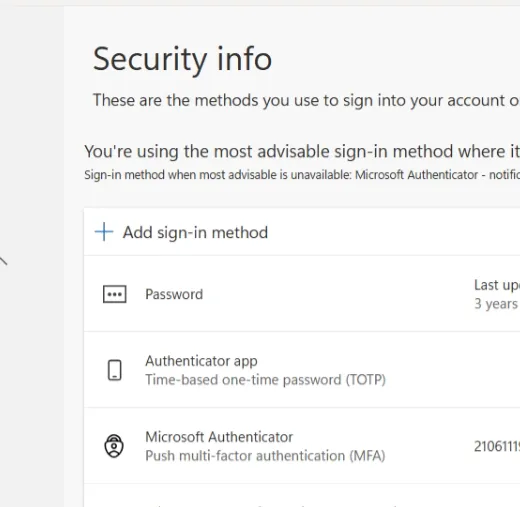
Open the link above and select Add sign-in method.
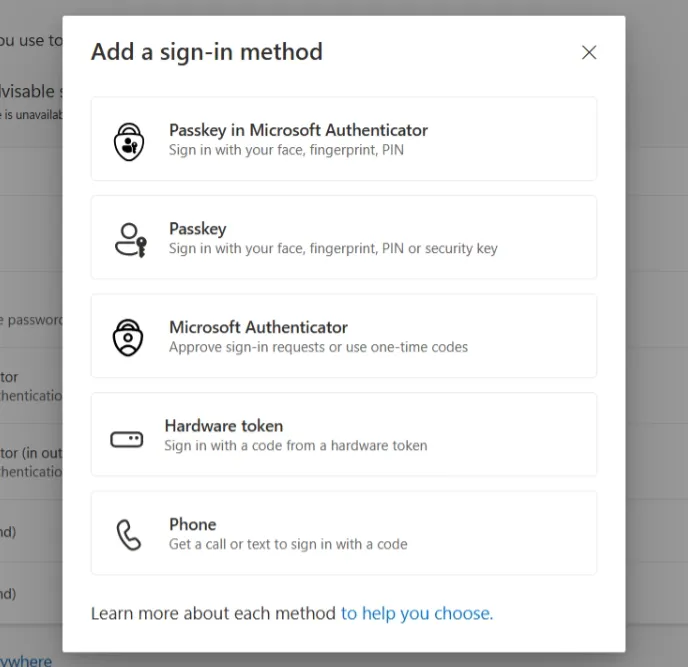
Choose Passkey.
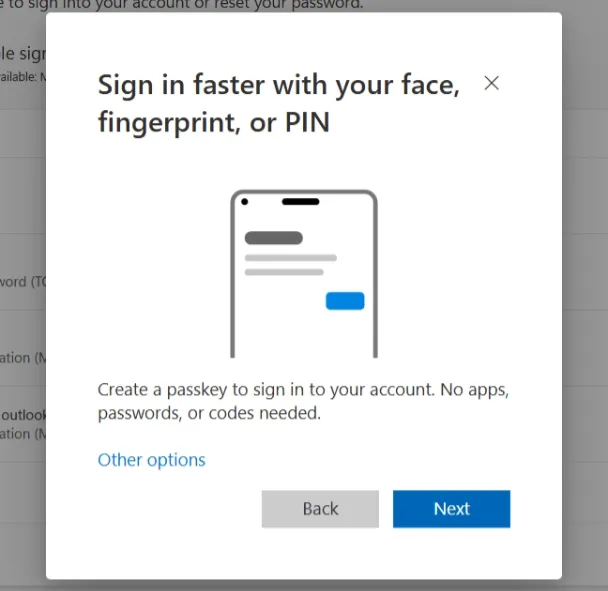
Select Other options.
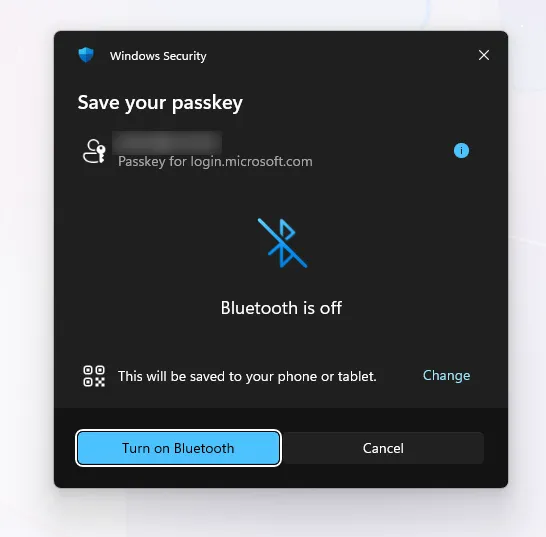
If Windows offers to save to a phone, press Change at the bottom right.
Select Security key.
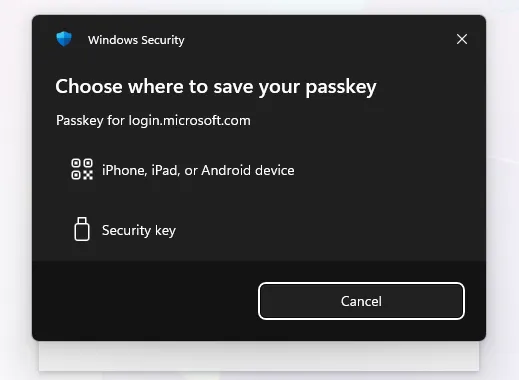
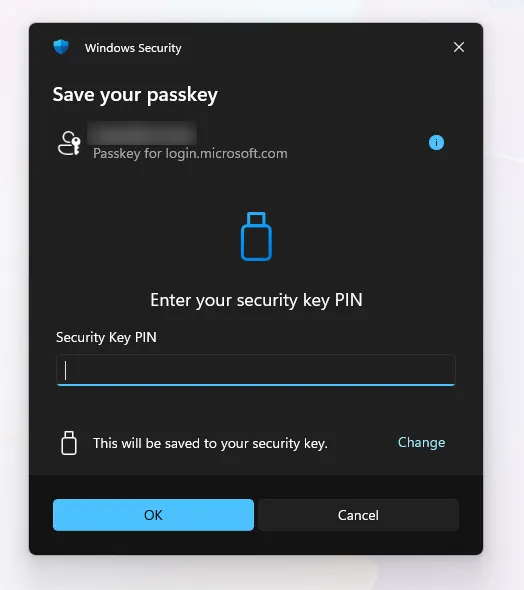
Enter your security key PIN, or set one if the key is new.
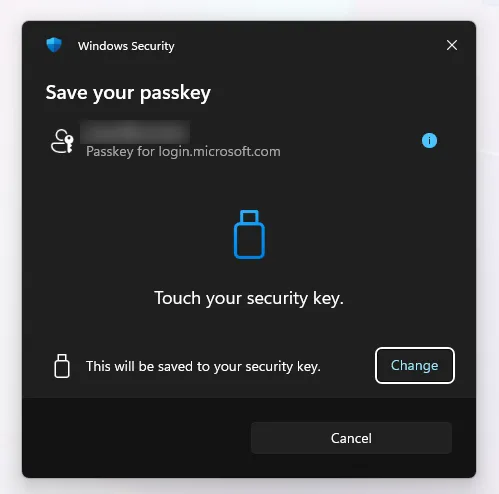
Touch your security key when prompted. It's now added to your account.
Name it, and keep track of which is your primary and which is your backup key.
Register a primary for daily use and a backup stored safely. If one is lost or broken, the other still gets you in.
Screens shown are from Windows · steps may vary slightly on other systems or as Microsoft updates the flow.
The same guide as a one-page PDF, for printing or sending round the firm. Stuck on a step? Managed clients can raise it as a support case.